
UOU Assignment 2026: Front Page Format and Submission Rules
Uttarakhand Open University (UOU) conducts online assignment quizzes for distance learners. For the July 2025 (Yearly) and January 2026 (Semester) sessions, online assignments open on 22 June 2026 and close on 15 August 2026. Students log in using their enrollment number and date of birth to attempt up to two 60-minute online quizzes per course code.
Key facts
| Assignment Start Date (July 2025/Jan 2026) | 22 June 2026 |
|---|---|
| Assignment Close Date (July 2025/Jan 2026) | 15 August 2026 |
| Portal Username | Enrollment Number |
| Portal Password | Date of Birth (YYYYMMDD format) |
| Maximum Allowed Attempts | 2 attempts per course code |
| Quiz Time Limit | 60 minutes (1 hour) |
| Helpline Email | assignment@uou.ac.in |
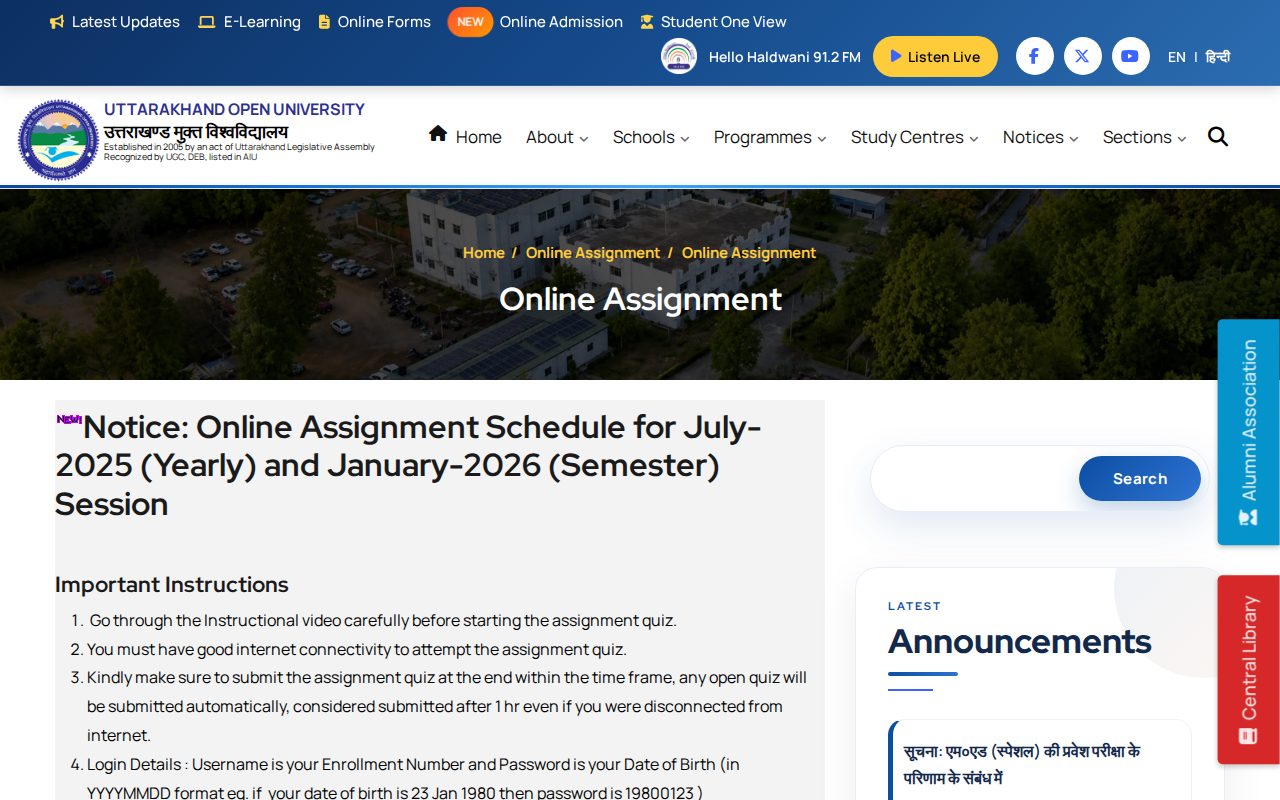
Schedule for July 2025 and January 2026 Sessions
Uttarakhand Open University has issued the online assignment schedule for students enrolled in the July 2025 (Yearly) and January 2026 (Semester) sessions.
UOU Online Assignment Dates 2026
| Session Name | Assignment Start Date | Assignment Close Date |
|---|---|---|
| July-2025 (Yearly) and January-2026 (Semester) | 22 June 2026 | 15 August 2026 |
Assignment Cover Page Format Details
For offline or written assignment cover sheets, UOU provides a standard assignment cover page sample PDF. The front page includes bilingual headings in English and Hindi that must be filled completely before evaluation.
- Session Details: Year (वर्ष), Session (सत्र), Semester (सेमेस्टर)
- Programme Information: Programme Name (पाठ्यक्रम नाम), Programme Code (पाठ्यक्रम कोड)
- Course Information: Course Code (प्रश्न पत्र कोड), Course Title (प्रश्न पत्र शीर्षक)
- Marks Fields: Total Marks (पूर्णांक), Marks Obtained (प्राप्तांक)
- Examiner Fields: Name of Examiner (परीक्षक का नाम), Signature of Examiner (परीक्षक के हस्ताक्षर)
- Student Identity: Student Name (नाम), Enrollment No. (नामांकन संख्या)
- Study Center Information: Center Name (अध्ययन केंद्र नाम), Center Code (अध्ययन केंद्र कोड), University/College Name (विश्वविद्यालय/संस्थान का नाम), Submission Date (जमा करने की तिथि)
Online Assignment Portal Login and Submission Procedure
Assignments for undergraduate, postgraduate, and diploma programmes are conducted online as multiple-choice quizzes on the UOU assignment portal.
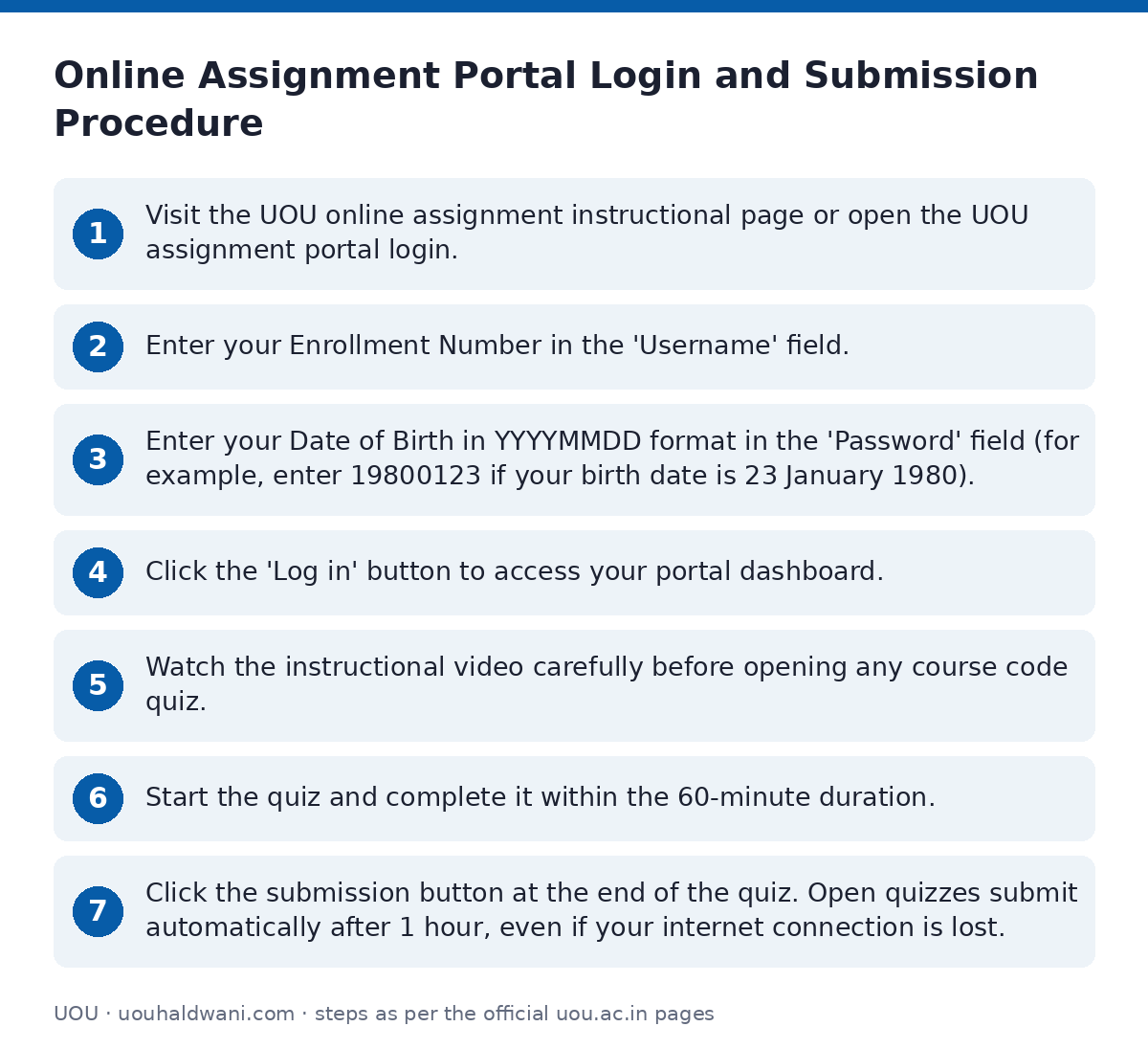
- Visit the UOU online assignment instructional page or open the UOU assignment portal login.
- Enter your Enrollment Number in the ‘Username’ field.
- Enter your Date of Birth in YYYYMMDD format in the ‘Password’ field (for example, enter 19800123 if your birth date is 23 January 1980).
- Click the ‘Log in’ button to access your portal dashboard.
- Watch the instructional video carefully before opening any course code quiz.
- Start the quiz and complete it within the 60-minute duration.
- Click the submission button at the end of the quiz. Open quizzes submit automatically after 1 hour, even if your internet connection is lost.
Online Quiz Pattern and Evaluation Rules
Online assignment quizzes follow a standardized objective pattern to evaluate core subject knowledge across distinct difficulty levels.
- Question Count: 20 factual multiple-choice questions per course assignment.
- Options: Each question provides 4 answer choices.
- Difficulty Breakdown: 6 simple questions, 7 moderate questions, and 7 difficult questions.
- Marking System: 1 mark per question for 20-mark assignments, or 0.5 marks per question for 10-mark assignments.
- Attempts Allowed: Maximum 2 attempts per course code. The attempt earning the highest grade or mark is retained.
- Back Paper Option: Students who fail to pass after both attempts receive the option to appear in a back paper.
Resolving Login Errors and Missing Course Codes
If a student cannot log in or finds a course code missing from their dashboard, support is available directly from the university assignment department.
- Email Support: Send an email to assignment@uou.ac.in containing your Enrollment Number, Name, Date of Birth, and Program Code.
- Response Time: Support staff respond within 24 to 48 hours.
- Helpline Phone: Call 05946-286000 between 10:00 AM and 5:00 PM on working days.
Previous Session Assignment Submission Deadlines
Official submission deadlines from past academic sessions are archived below for reference.
Historical Assignment Submission Extended Dates
| Academic Session | Programme Type | Last Submission Date |
|---|---|---|
| Winter Session 2018-18 | Annual / Semester | 31 October 2018 |
| 2018-19 | Semester Programme | 15 November 2018 |
| 2018-19 | Annual Programme | 15 May 2019 |
| 2019-19 | Semester and Annual Programme | 15 May 2019 |
| 2019-20 / 2020-20 | Semester Programme | 15 November 2019 |
| 2019-20 / 2020-20 | Annual Programme | 05 July 2020 |
| January 2020 | Semester Programme | 05 July 2020 |
Important UOU links
| What you can do | Official page |
|---|---|
| check official assignment schedule notice | uou.ac.in/announcement/2026/06/6159 |
| read general UOU assignment guidelines | uou.ac.in/assignment |
| view online assignment portal video instructions | uou.ac.in/online-assignment |
| login to UOU assignment portal | assignment.uou.ac.in |
Official documents (PDF)
- Assignment Cover Page Sample PDF — Sample assignment front cover page format listing all required details
Frequently asked questions
What are the assignment dates for UOU July 2025 and Jan 2026 sessions?
For July 2025 (Yearly) and January 2026 (Semester) session students, the online assignment quiz starts on 22 June 2026 and closes on 15 August 2026.
How do I log in to the UOU online assignment portal?
Open the online assignment portal, enter your Enrollment Number as the Username, and enter your Date of Birth in YYYYMMDD format as the Password.
How many attempts are permitted for an online assignment quiz at UOU?
Students are allowed up to 2 attempts for each course code. The attempt in which you score the highest grade or mark will be considered final.
What happens if my internet disconnects while giving an assignment quiz?
Any open quiz submits automatically after 1 hour (60 minutes) from the start time, even if you are disconnected from the internet.
Whom should I contact if my course code is not showing in the assignment dashboard?
Email your Enrollment Number, Name, Date of Birth, and Program Code to assignment@uou.ac.in. The university responds within 24 to 48 hours.
Sources
Written from the official UOU pages and documents below, as read on 2 October 2026.
- 03 Online Assignment uou.ac.in/…/online-assignment
- Notice: Online Assignment Schedule for July-2025 (Yearly) and January-2026 (Semester)… uou.ac.in/…/6159
- Assignments 2019-20/2020-20 (Annual Programme) uou.ac.in/…/assignment-19-20
- Assignments January-2020 (Semester Programme) uou.ac.in/…/assignment-jan-20
- Assignments 2019-19 uou.ac.in/…/assignment-19-19
- Assignments 2018-19 uou.ac.in/…/assignment-18-19
- Assignment Cover Page Sample uou.ac.in/…/assignment-cover.pdf
- Assignments 2017-18 and 2018-18 uou.ac.in/…/assignment-17-18