
UOU Prospectus 2026: Contents and Download
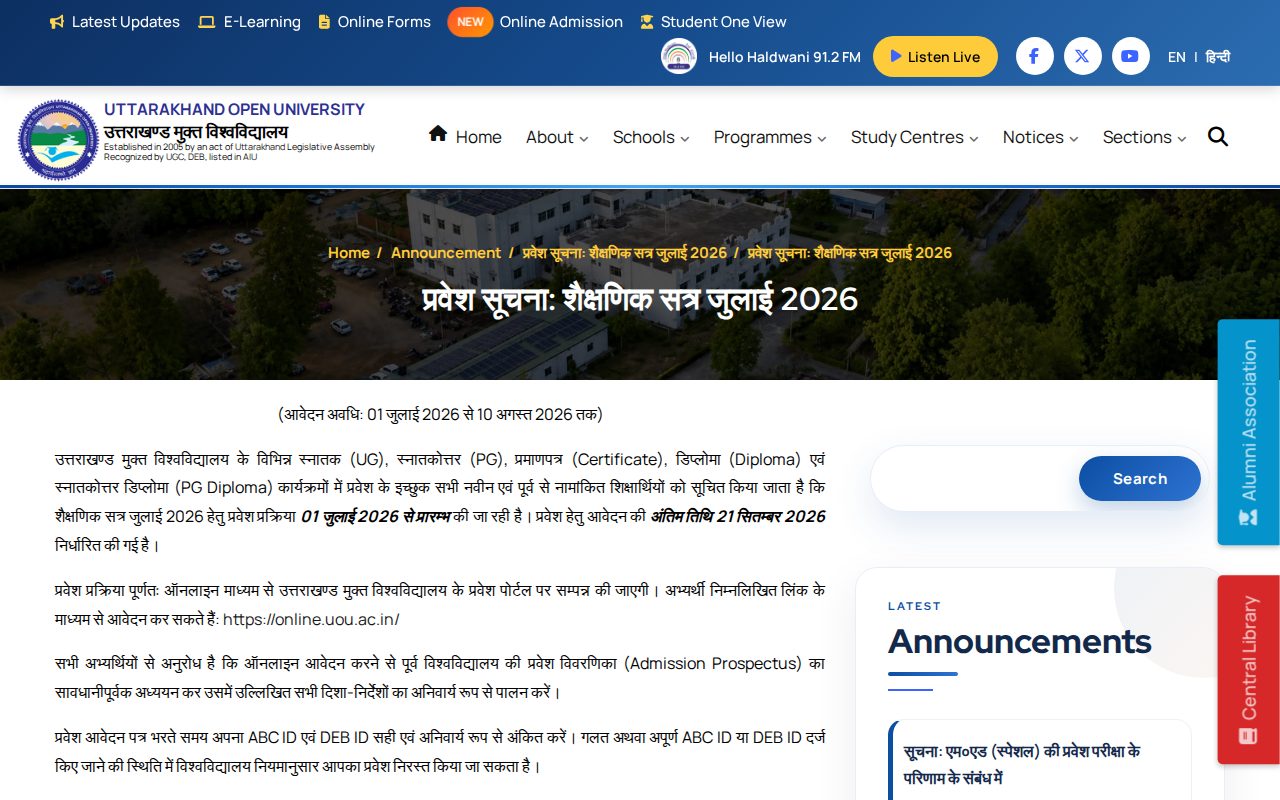
Uttarakhand Open University (UOU) provides its prospectus and admission guidelines online for all UG, PG, Diploma, and Certificate programmes. Candidates applying for the July 2026 academic session must read the prospectus before registering online by the extended deadline of 09 October 2026. Mandatory requirements include entering a valid ABC ID and DEB ID during online application.
Key facts
| July 2026 Admission Start | 01 July 2026 |
|---|---|
| July 2026 Extended Deadline | 09 October 2026 |
| Application Mode | Online via entry portal |
| Mandatory Form IDs | ABC ID and DEB ID |
| Offered Levels | UG, PG, Diploma, PG Diploma, Certificate |
| Prospectus Archive Range | July 2020 to Jan 2026 |
July 2026 Academic Session Prospectus Directives
UOU released the admission notification and prospectus instructions for the July 2026 session on 30 June 2026. Applicants seeking admission to Undergraduate (UG), Postgraduate (PG), Certificate, Diploma, or PG Diploma programmes must thoroughly read the official prospectus before filling out the registration form.
The complete guidelines and session details are available through the UOU admission prospectus announcement on the university website.
July 2026 Session Key Admission Dates
| Event | Date |
|---|---|
| Admission Process Starts | 01 July 2026 |
| Original Application Last Date | 21 September 2026 |
| Extended Application Last Date | 09 October 2026 |
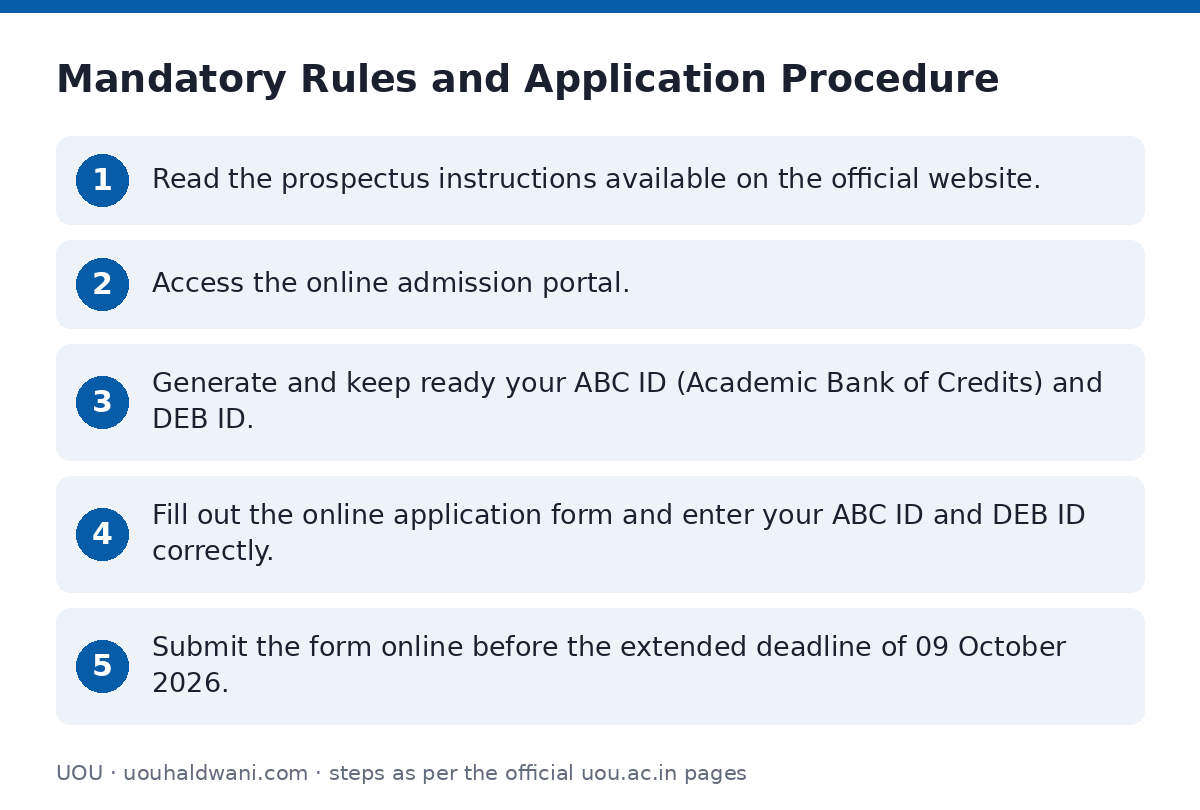
Mandatory Rules and Application Procedure
All registrations for the July 2026 academic session are conducted online. Candidates must strictly comply with the guidelines detailed in the prospectus to avoid cancellation of their admission.
- Read the prospectus instructions available on the official website.
- Access the online admission portal.
- Generate and keep ready your ABC ID (Academic Bank of Credits) and DEB ID.
- Fill out the online application form and enter your ABC ID and DEB ID correctly.
- Submit the form online before the extended deadline of 09 October 2026.
Previous Academic Session Prospectus Archive
Learners requiring reference materials or details regarding past academic rules, fee structures, and course lists can access archived prospectuses on the UOU old prospectus archive page.
Archived Prospectus Sessions
| Academic Session | Availability Status |
|---|---|
| July 2020 | Available |
| July 2021 | Available |
| July 2022 | Available |
| July 2023 | Available |
| July 2024 | Available |
| July 2025 | Available |
| January 2026 | Available |
Helpdesk and Admission Query Support
If applicants encounter issues regarding prospectus details or application submissions, they can log a support ticket through the UOU helpdesk portal.
- Email Address
- Full Name
- Enrollment Number (if registered)
- Phone Number
- City/Town/Village
- Help Topic (Select ‘Admissions’ or the relevant Academic School)
Important UOU links
| What you can do | Official page |
|---|---|
| Read July 2026 admission announcement | uou.ac.in/announcement/2026/06/6192 |
| Access archive of old prospectuses | www.uou.ac.in/old-prospectus |
| Submit ticket for admission support | support.uou.ac.in/open.php |
Frequently asked questions
Where can I view the UOU Prospectus guidelines for July 2026?
Guidelines and official notifications for the July 2026 prospectus are published under the UOU admission prospectus announcement on the university portal.
What is the last date to apply for admission for the July 2026 session?
The online admission application deadline for the July 2026 session has been extended to 09 October 2026.
Which IDs are mandatory while filling the UOU online admission form?
Applicants must enter a valid ABC ID (Academic Bank of Credits) and DEB ID. Providing incorrect or incomplete IDs can lead to cancellation of admission.
Where can I find prospectuses from previous years?
Previous prospectuses from July 2020 through January 2026 are archived on the UOU old prospectus archive page.
What should I do if I have questions regarding prospectus details?
You can open an online ticket on the UOU support system by selecting ‘Admissions’ under the help topic and submitting your details.
Sources
Written from the official UOU pages and documents below, as read on 2 October 2026.
- UOU | Uttarakhand Open University uou.ac.in
- Admission Prospectus uou.ac.in/…/6192
- Old Prospectus www.uou.ac.in/…/old-prospectus
- Contact Us uou.ac.in/…/contact
- 06 Student Corner uou.ac.in/…/student-corner
- 07 Student Support support.uou.ac.in/…/open.php